Three Clicks to Combat Ready: Speeding Up Equipment Mastery with StartGuides
By James Zegarelli and Kevin Mott
Editors’ Note: The CxFile reached out to learn more about StartGuides' services and share them with our audience. This article details both fully funded resources and a pay-to-license pilot program designed to help Marines rapidly digest technical manuals across various systems. As a volunteer organization, The CxFile is not paid to highlight these products — we are sharing this information simply because we believe these tools will make your Marines more effective. This feature also serves as a follow-up to our recent article on MCTSSA’s Warfighter Support Division.
If you’ve ever tried to train Marines on a new piece of gear, you’ve probably hit the same wall we have:
The TM is either collecting dust somewhere or buried online. When you do find it, it’s 1,000+ pages and written for depot-level maintenance — not the turret power-up sequence you need right now.
The PowerPoint from the last New Equipment Training course is already outdated, and half the screenshots don’t match the current software version.
The Marine in front of you needs the answer now — on the range, in the motor pool, in the turret — not next week in a classroom.
That’s the gap StartGuides was built to close. StartGuides was founded by former Marines, soldiers, and sailors who went into tech to solve the problems we faced as company-grade and field-grade officers. Our apps deliver validated procedures in a format that’s accessible, visual, and fast enough to use where training actually happens. We don’t replace the TM — we complement it.



What We Build: PSAs That Stay Current
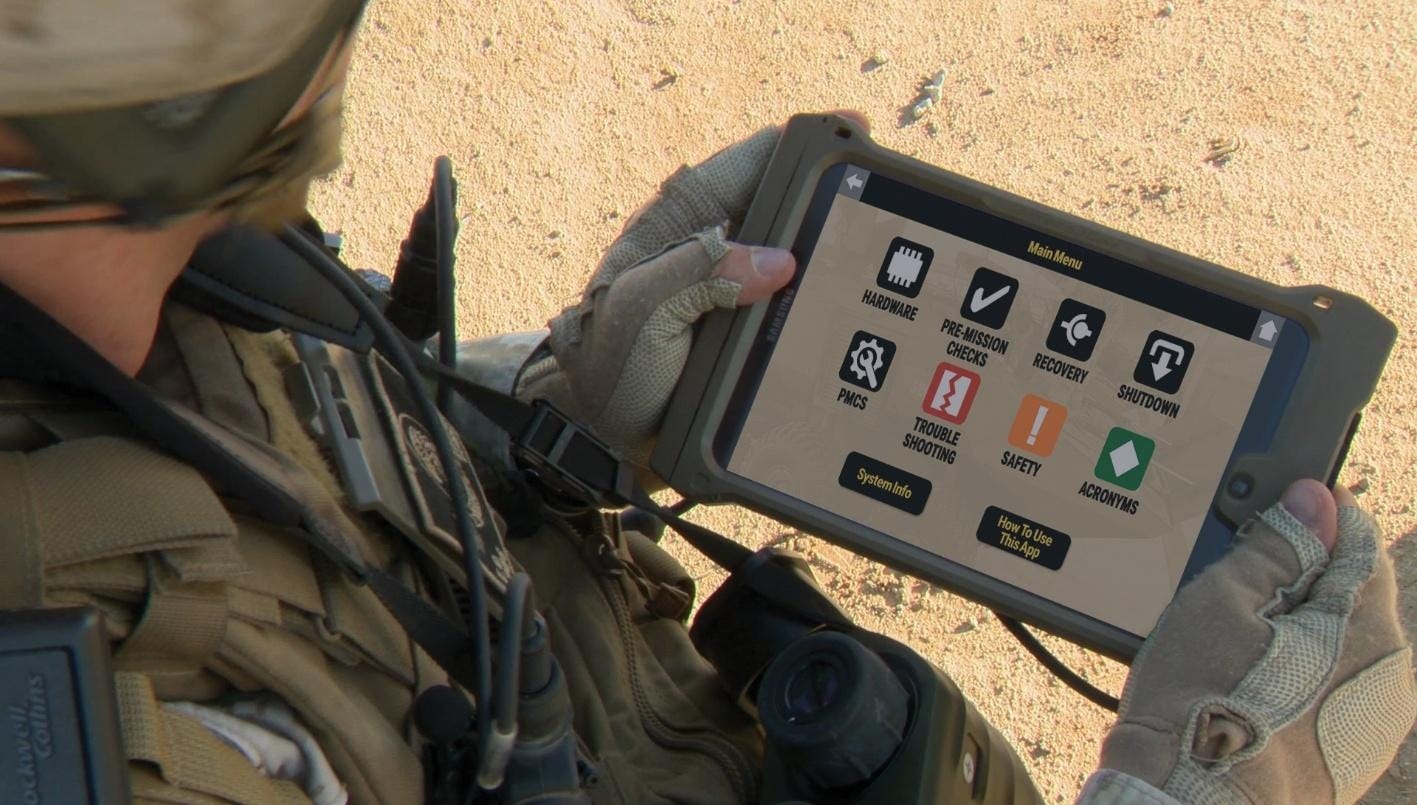
A Performance Support Application (PSA) is a digital, interactive guide that gets you to the right answer in three clicks or less. It’s built from actual photos, diagrams, and visual cues, so the steps make sense whether you’re fresh out of SOI or an NCO who’s run the system for years.
The USMC has already bought and paid for these guides. If you have CAC access to a computer, over 80 Marine Corps PSAs are available on MCTSSA’s SharePoint site (CAC required) right now. Program Offices, validated against the TM and SOPs, and are free for you to access and use. These PSAs include:
Communication equipment
Command and control systems
Individual weapons and optics
LAV systems
UAS platforms
And more…
And they stay current. When the program office changes a procedure or the fleet validates an SOP update, we work with them to make changes to the app before the updates are fielded. That way, you don’t get caught teaching from an outdated PowerPoint while the TM is still working its way through revision.
An Example
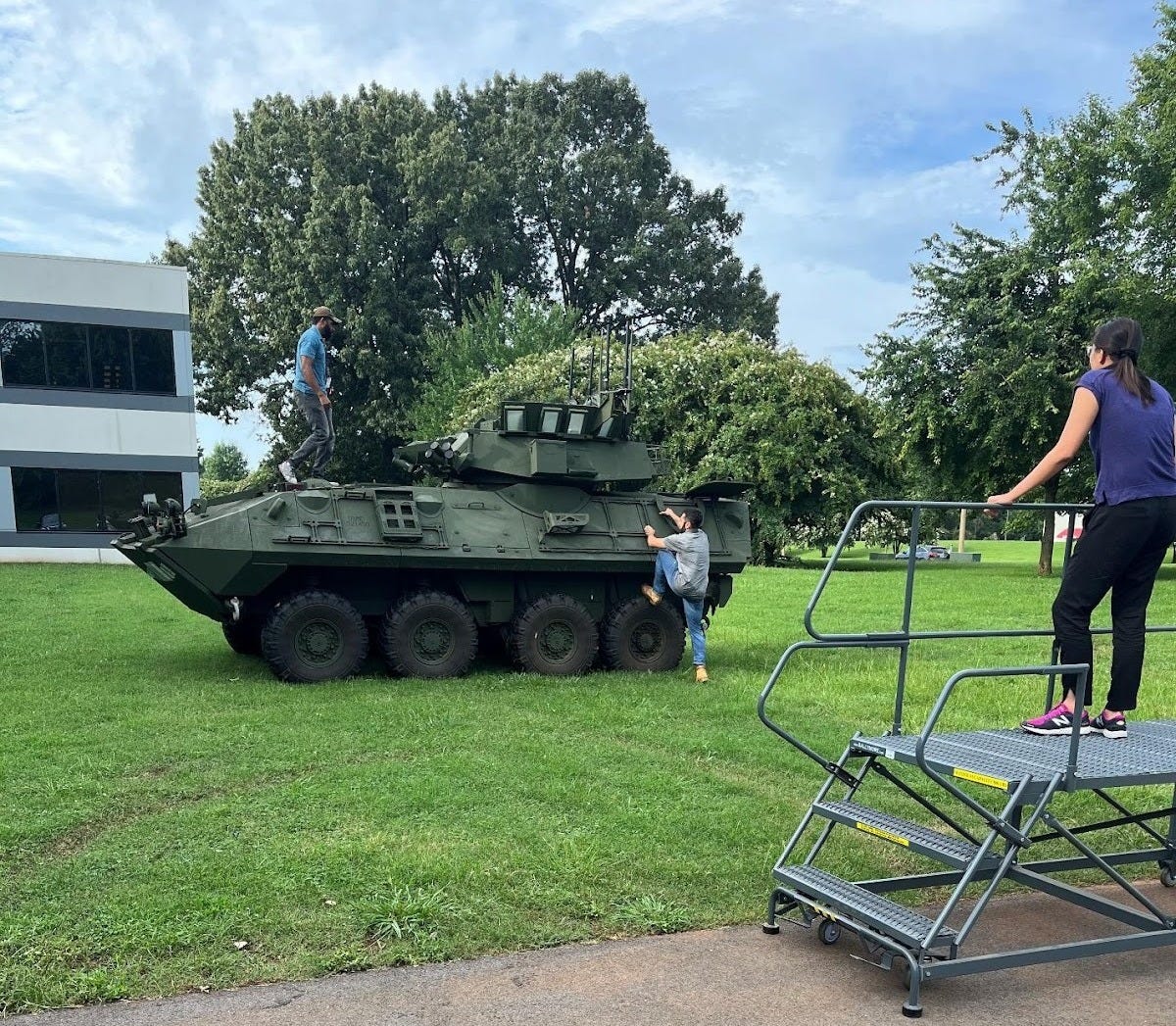
You’re in 2nd LAR and want to walk a new join through turret startup. Instead of flipping through hundreds of pages to find the right diagram, you tap “Turret Operations,” then “Power Up Sequence.” You’ll see the actual switches and indicators in your vehicle — step by step, exactly as written, but in a format that works in the turret. This is possible because our LAV-25A2 PSA with PEO Land Systems sits alongside TM 08594C-10/1B.
How We Build Them: Field-First and Fleet-Validated
Every PSA starts the same way:
We get the gear in front of us. Our team works side by side with the program office fielding the equipment, the manufacturer, the schoolhouse trainers, and Marines in the fleet.
We capture everything visually. Photos of every step from setup and breakdown through operator-level maintenance.
We strip the filler. No “page intentionally left blank” — just what’s relevant for safe operation at the point of need.
We validate twice. First with the Program Office against the TM, then with Marines who will actually use it—incorporating unit SOPs and fleet feedback after fielding.
TMs are incredibly important documents for equipment and systems, but have limitations. One limitation is update speed, a problem made worse by how rapidly today’s systems evolve. PSAs deliver the benefits of validated content at a pace that ensures capability reaches the fleet on time, backed by the same supporting documentation as the TM.
Building the Training Library
We’ve built more than 250 PSAs across the USMC, Army, Navy, and Air Force. But the best guide is worthless if your Marines can’t find it when they need it.
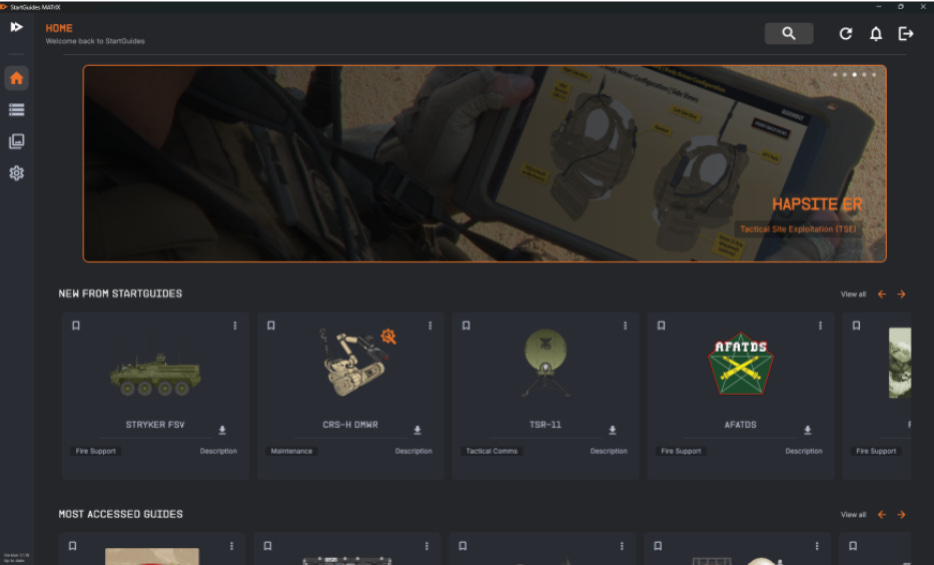
That’s why we built MATrIX — the Mobile Application Training Interface Experience. Think of it as a digital library that organizes, updates, and delivers PSAs at the speed of the fight. Instead of Keanu Reeves’ ‘I know Kung Fu,’ it’s your Marines saying ‘I know how to load crypto on my Handheld Link-16 radio.’ (That PSA is coming to MATrIX this spring).
MATrIX brings:
Search in seconds. Filter by category or equipment instead of hunting through SharePoint folders.
Offline use without losing updates. Download before field ops, then sync when you’re back on network.
Instructor and leader tools. See which Marines are using which guides, how long they’re spending on each one, and where they may need remediation. Export reports straight to training jackets or readiness briefs.
Instant updates. Fleet feedback or Program Office changes flow automatically into the guides Marines are already using.
MATrIX is new. We’re currently piloting it at Marine Corps schoolhouses and units — see below for contact info if you are interested in a demo.
How It Fits into Your Training Cycle
You don’t need to rewrite your POI or change how you run a range. PSAs (already available via MCTSSA) and MATrIX (currently in a pilot program) slot into three lanes:
Formal instruction: Instructors use PSAs to reduce lecture time and focus on coaching.
Sustainment: Units use them during motor pool Mondays, white space training, or before a field exercise.
Field ops: Marines use PSAs offline to refresh procedures at the point of execution.
Whether during routine maintenance, training exercises, or workups, PSAs reduce prep time and minimize errors without replacing the TM or the instructor.
What’s Available for You Right Now
If you read The Connecting File regularly, you’ve seen articles on systems like ENFIRE, ATAK, TRV-150, and ULTVs — gear that’s showing up across the Joint Force. Our unique perspective comes from seeing how widely this equipment gets fielded. The Army also uses ENFIRE, so we’ve built PSAs for ENFIRE 8.0, 9.0, and 10.0. Multiple services use ATAK, so we have content for both operators and network administrators. We’ve built guides for the TRV-150 and ULTV, and we’re currently working on a PSA for the Marine Corps’ M-Code PNT solution. That’s a snapshot of what’s available now — the list grows weekly as new systems get fielded.
Existing library: On MCTSSA SharePoint, click the “StartGuides” button or search “Performance Support App.” You’ll find guides for LAVs, comms gear, weapons systems, and more. Already validated, already funded, already free. We can send you an MOS-filtered list so you don’t waste time digging.
MATrIX pilots: Currently running at schoolhouses like LARTC and select units. These pilots validate the platform’s leader tools and usage analytics before broader rollout.
New PSA development: If there’s a gap, Program Offices contract with us to build new guides. Depending on complexity, we typically deliver within a few months from kickoff to fielding.
Access: Zero IT Headaches
We know the S-6 fight is real. For the existing PSAs on MCTSSA, you’re already good to go, just search and download.
For MATrIX pilots, we can deploy in three ways:
MATrIX-in-a-box: Preloaded tablets and hotspots — no MCEN integration, no risk to your network.
Web access (Coming Soon): Works in a browser on any government-approved device.
On-network deployment: For schoolhouses with MDM control, we can integrate directly.
All options are CUI-compliant. Offline options work without commercial internet once downloaded.
Cost and Sustainment
The existing PSAs on MCTSSA are free to use — your Program Offices already paid for them.
MATrIX pilots can be funded with unit funds, UFRs, or other available funding lines. Sustained access typically runs in the low five figures for a battalion-sized license, with discounts for larger formations or multi-year commitments.
When a pilot ends, your Marines keep access if you roll into a sustainment plan — and we’ll help you identify the fastest funding path and write the justification language for your chain of command.
If You’re Ready to Move
To use existing PSAs: Just search “StartGuides” on MCTSSA’s SharePoint. No permission needed, no cost, no IT headaches.
To pilot MATrIX: If you want the full platform with instructor tools and usage analytics in your Marines’ hands within 30 days, here’s what it takes:
Identify the gear or POI lanes you want covered.
Choose your access path (MATrIX-in-a-box, web, or on-network).
Assign a point of contact for coordination.
We ship, onboard, and train your Marines in one session — you’re live the same day.
Contact Us
Ready to see what’s already available for your Marines? We regularly have team members on Camp Lejeune, Camp Pendleton, and Quantico, and we’re more than happy to schedule an in-person visit. James Zegarelli, a former 0302, can help coordinate an in-person visit or a Teams-based capability brief for your command deck (james.zegarelli@startguides.com). Kevin Mott, also a former 0302, can help you craft a 30-day pilot plan for the MATrIX (kevin.mott@startguides.com).
The fight moves too fast for outdated training materials. StartGuides lets you take a Marine from “never touched this system” to “confident operator” in a fraction of the time — and it works in the motor pool, the field, or the turret.